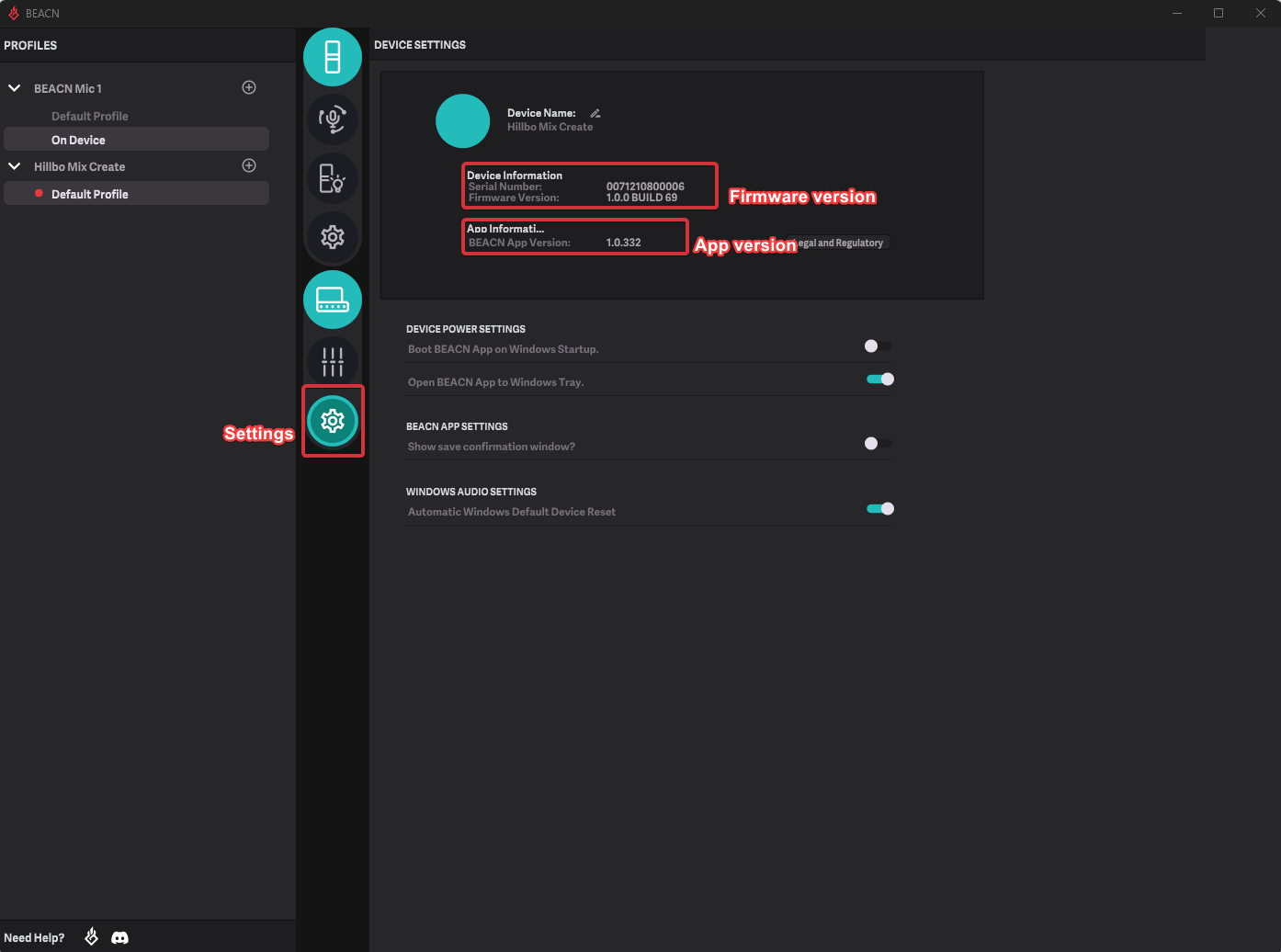
How do I find the BEACN App Version and Firmware Version?Updated 9 days ago
To find your BEACN App version and Firmware version, simply click on the settings button (Cog Icon) to bring up the settings page. Firmware version will be under Device Information. Your App version is shown as "App V" followed by the version number at the bottom of the Profiles panel on the right of the main window. If the Profiles panel is hidden, click the profile drawer button in the top toolbar to show it.
IMPORTANT NOTE
You may have to click away from the settings screen and back for the firmware version to show. This will be fixed in a future release