
Media and call controls on BEACN HeadsetUpdated 18 hours ago
Media and call controls on BEACN Headset
The mute button on BEACN Headset also skips tracks and handles phone calls. Here is how, and when each one works.
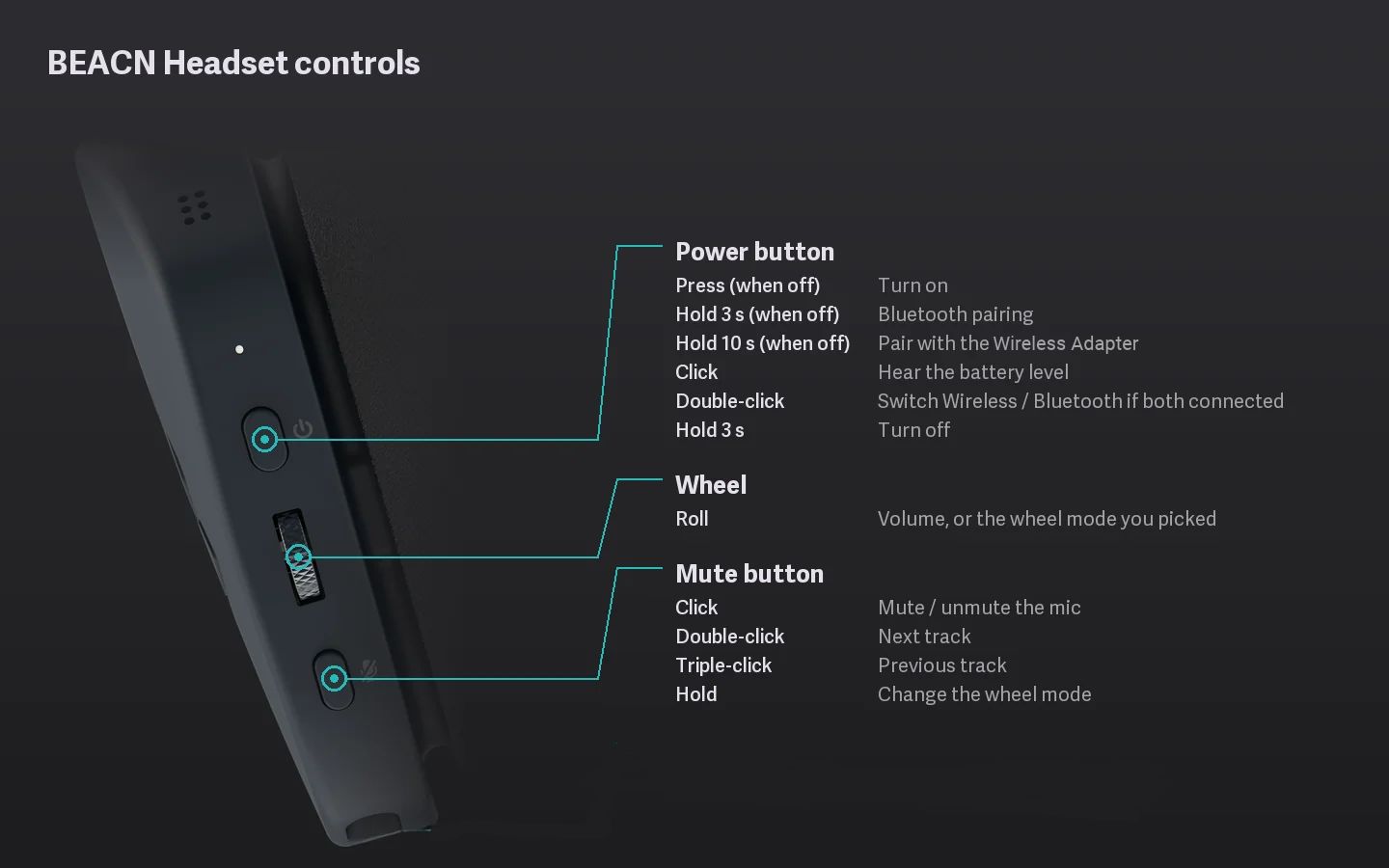
Music
| Press the mute button | What it does |
|---|---|
| Double click | Next track. |
| Triple click | Previous track. |
These work while music is playing, over Bluetooth, through the dongle or on the USB cable.
Phone calls (Bluetooth)
| Press the mute button | What it does |
|---|---|
| Single click (call ringing) | Answers the call. |
| Double click (call ringing) | Rejects the call. |
| Double click (on a call) | Ends the call. |
Important Note
During a call the mute button doesn’t mute the headset mic. Use the mute on your phone’s call screen.
Volume
Turn the wheel. If it’s controlling something else, it goes back to volume on its own after 5 seconds. See Using the wheel: Volume, Subwoofer, Chat/Game mix and Mic Monitor.
Related
- What do the buttons on BEACN Headset do?
- How to pair your BEACN Headset with a phone or other Bluetooth device